Smart Locker
Self-service locker rental with size selection, flexible plans, and instant PIN delivery. Residential parcel lockers coming soon.
SMART LOCKER
Flexible M
¥500/day
Checked in
Checked in
© UnlockOS
The Challenge
- Traditional lockers require on-site staff for key handover and payment collection
- No way to offer flexible rental periods — daily, multi-day, or one-time use
- Manual tracking of which lockers are available and which are occupied
- Guests who lose their access code have no self-service recovery option
How UnlockOS Helps
- Fully self-service: guests choose a size, pick a plan, pay, and receive a PIN — all on their phone
- Two plan types — One-Time (single access, lower cost) and Flexible (unlimited access during rental)
- Real-time availability by locker size with transparent per-day pricing
- Email-based OTP recovery lets guests retrieve access codes anytime without staff help
Flexible pricing for every scenario
One-Time Plan
Single access at a reduced rate. Locker opens once, rental completes.
S locker: ¥300/day (one-time)
Flexible Access Plan
Unlimited open/close within the rental period at a premium rate.
M locker: ¥500/day (flexible)
Multi-Day Rental
Both plans support multi-day bookings with total calculated at checkout.
L locker × 3 days: ¥2,400
Seamless experience from start to finish
Scan QR or open link
Guest scans the QR code near the lockers or opens the booking URL on their phone.
Select size and plan
Choose locker size (S/M/L) based on availability, then pick One-Time or Flexible plan.
Choose dates and pay
Select check-in date, review total cost, verify email via OTP, and pay with Stripe.
Issue PIN + QR code
Access credentials delivered instantly. PIN is copyable; QR is scannable at the locker.
Use the locker
Enter PIN or scan QR to open. One-Time: single access. Flexible: unlimited access until expiry.
Auto-expire at rental end
Access code automatically expires at the end of the rental period. Locker returns to available pool.
Get started in 3 steps
Configure Lockers
Register locker sizes (S/M/L), set per-day pricing for each plan type, and define total capacity.
Share QR or Link
Place QR codes near the lockers or share the booking URL via your website, LINE, or email.
Guests Self-Serve
Guests book, pay via Stripe, and receive a PIN + QR code instantly. No staff interaction needed.
Built for your workflow
Size Selection & Availability
Guests browse S/M/L sizes with real-time stock indicators and per-day pricing. Sold-out sizes are clearly marked.
One-Time Plan
Single-use access at a lower per-day rate. Opening the locker completes the rental. Ideal for short-term storage.
Flexible Access Plan
Unlimited store-and-retrieve access within the rental period. Perfect for multi-day use or repeated access needs.
Instant PIN & QR Delivery
PIN code and QR code issued immediately upon payment. One-tap copy and screenshot reminders for offline use.
Booking History & Recovery
Guests look up past and active bookings by email. OTP verification recovers access codes without staff.
Stripe Payment
Secure payment processing with multi-currency support. Free booking mode available for complimentary access.
Works with your existing tools
Smart Locks
PIN and QR-based locker access with automatic expiry at rental end. KEYVOX is built in; locks with a public cloud API are connected through an adapter.
Stripe Payments
Secure payment processing with multi-currency support and free booking mode.
Email OTP
Passwordless authentication for booking and access code recovery.
See whether it works for your space, right now
These open the screens a guest sees. You can run them all the way through — payment and key included.
Every space here is fictional. The pricing and operating patterns come from real conversations with operators.
Payments run in test mode. 4242 4242 4242 4242 / 12/30 / 123. Nothing is ever charged.
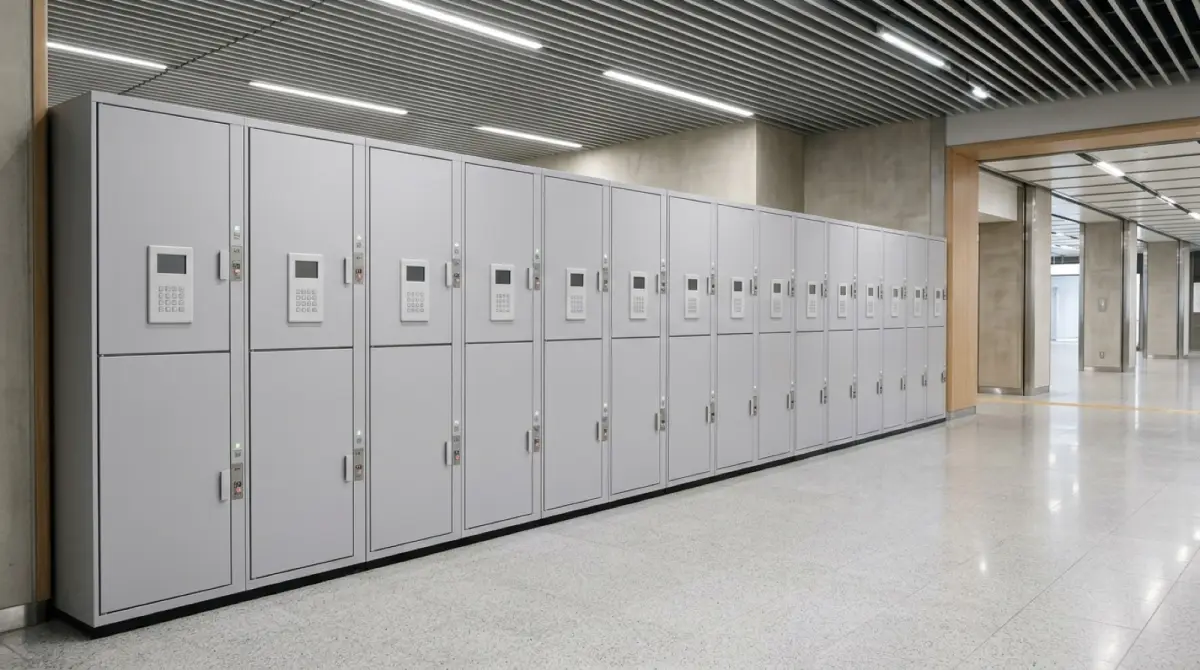 Demo
DemoTebura STATION Luggage Lockers
Station lockers by the day. The PIN appears as soon as you pay.
- A flat daily rate per locker size
- A PIN issued the moment payment clears

Ready to monetize your space?
Join property owners who automated their operations with UnlockOS.